
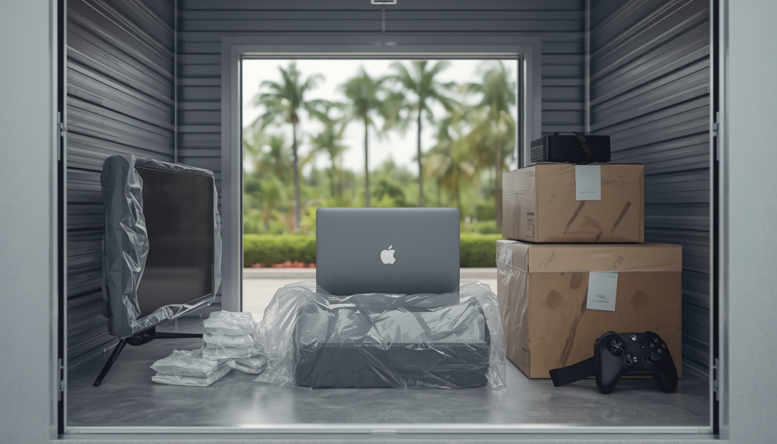
South Florida is known for its warm weather and beautiful beaches. But that same climate can be surprisingly hard on electronics. High temperatures, heavy humidity, and sudden rain events create conditions that can cause real damage to devices you’re trying to keep safe in storage.
Whether you’re between moves, downsizing, or simply need extra space, understanding how to store electronics properly can save you a lot of frustration and money.
Why South Florida’s Climate Can Affect Electronics
South Florida’s average relative humidity often sits above 70 percent, and summer temperatures regularly climb past 90°F. For electronics, that combination is a problem.
Heat causes internal components to expand. Over time, repeated expansion and contraction can loosen connections, warp circuit boards, and degrade materials. Humidity adds moisture to the equation, which accelerates corrosion on metal contacts and can cause short circuits when devices are powered back on.
Condensation is another issue. When a cool device is moved into a warm, humid environment, moisture forms on its surfaces, including inside. That moisture can linger longer than you might expect, especially inside sealed compartments.
Which Electronics Need Extra Protection?
Most consumer electronics are sensitive to heat and moisture, but some are particularly vulnerable:
● Televisions, especially flat screens with delicate panels
● Computers and laptops, which contain sensitive hard drives and circuit boards
● Gaming consoles, with ventilation systems that can trap moisture
● Cameras and lenses, where humidity can cause fungal growth inside glass elements
● Audio equipment, including amplifiers and receivers with exposed metal components
● Printers and scanners, which have rubber parts that deteriorate in heat
If a device has a battery, a screen, or precision moving parts, it deserves careful attention before storage.
How to Prepare Electronics for Storage
Good preparation makes a significant difference. Follow these steps before placing any electronics in a storage unit.
Clean and dry everything first. Dust and debris trap moisture, so wipe down all surfaces with a dry or lightly dampened cloth. Allow everything to air out completely before packing.
Back up your data. Hard drives and memory cards can fail in storage. Before packing computers or cameras, back up any important files to an external drive or cloud service.
Remove batteries when appropriate. Batteries can leak or corrode during long-term storage. Remove them from remotes, cameras, and smaller devices. Store them separately in a cool, dry location.
Use appropriate packaging. If you have original boxes, use them. If not, wrap items in anti-static bubble wrap rather than regular plastic, which can trap moisture. Place silica gel packets inside boxes to absorb humidity.
Label your boxes clearly. Mark boxes as fragile and indicate which side should face up. Include a basic contents list so you can find items without opening every box.
Common Electronics Storage Mistakes
Even with good intentions, people make avoidable errors when storing electronics. Here are the most common ones:
● Storing devices in areas with poor airflow where humidity builds up
● Leaving batteries inside devices for months or years
● Wrapping electronics in regular plastic bags that trap condensation
● Placing boxes directly on the floor, where moisture can seep in
● Stacking boxes too tightly, which restricts airflow and causes heat to build
Avoiding these mistakes is straightforward once you know what to look for.
Why Climate-Controlled Storage Can Help
A standard storage unit in South Florida can reach temperatures well above 100°F during summer months. For electronics, that level of heat is far outside the recommended operating and storage ranges printed in most device manuals.
Climate controlled storage in Dania Beach offers a more stable environment, typically maintaining temperatures between 55°F and 85°F with lower relative humidity. That consistency reduces the risk of heat damage, condensation, and corrosion over time.
If you’re storing electronics for more than a few weeks, or storing anything of significant value, a climate-controlled unit is worth considering. The cost difference is often minor compared to the cost of replacing damaged equipment.
How to Organize Electronics in a Storage Unit
Once you have the right environment, how you arrange your items also matters.
- Keep boxes off the floor. Use pallets, shelving units, or sturdy plastic bins to elevate your electronics. This protects against moisture that may seep along the floor and improves airflow beneath your items.
- Be careful with stacking. Place heavier items on the bottom and lighter, more fragile devices on top. Avoid stacking boxes so high that they become unstable.
- Plan for accessibility. If you may need to retrieve items occasionally, leave a clear path and put frequently accessed boxes near the front of the unit.
- Protect screens and fragile components. Use foam padding or moving blankets to cushion televisions and monitors. Never lay flat screens face-down unless the manufacturer specifically recommends it.
Choosing the Right Storage Environment
When choosing where to store your electronics, look for a facility that is clean, well-maintained, and offers climate-controlled options.
Handy Storage Dania Beach, located at 420 Stirling Rd, is a locally operated storage solution in Florida with over 45 years of experience serving Broward County. They offer a variety of unit sizes for personal and commercial storage needs, with locations also in Miami, Pembroke Pines, and Plantation.
Before renting, ask about available unit sizes, climate control options, and access hours to make sure the facility fits your schedule and needs. A clean, well-organized facility with professional staff is a good sign that your belongings will be in good hands.
Keep Your Electronics Safe for the Long Term
Storing electronics in South Florida does not have to be stressful. With the right preparation, appropriate packaging, and a suitable storage environment, your devices can come out of storage in the same condition they went in.
Clean your items, remove batteries, pack carefully, and choose a unit that offers stable temperature and humidity control. Those steps alone put you well ahead of most people who simply box things up and hope for the best.
Ready to find the right unit? Contact Handy Storage Dania Beach to explore climate-controlled storage options near you.